
public:cb_mirror:create_and_confirm_cos_account_pdf_files_15101
To view this on the COS website, click here create-and-confirm-cos-account
To download the pdf file from the COS website, click here create-and-confirm-your-convention-of-states-account.pdf
Create and confirm COS account
Attachment: 2689/create-and-confirm-your-convention-of-states-account.pdf
 CREATE AND CONFIRM YOUR CONVENTION OF STATES ACCOUNT The link to the Convention of States page: https://conventionofstates.com/ First time you will see the petition sign up page: Click the sign in tab in the upper right corner: If you don’t already have an account use the Sign Now at the bottom If you have an account but forgot your pass word use Forgot your password? 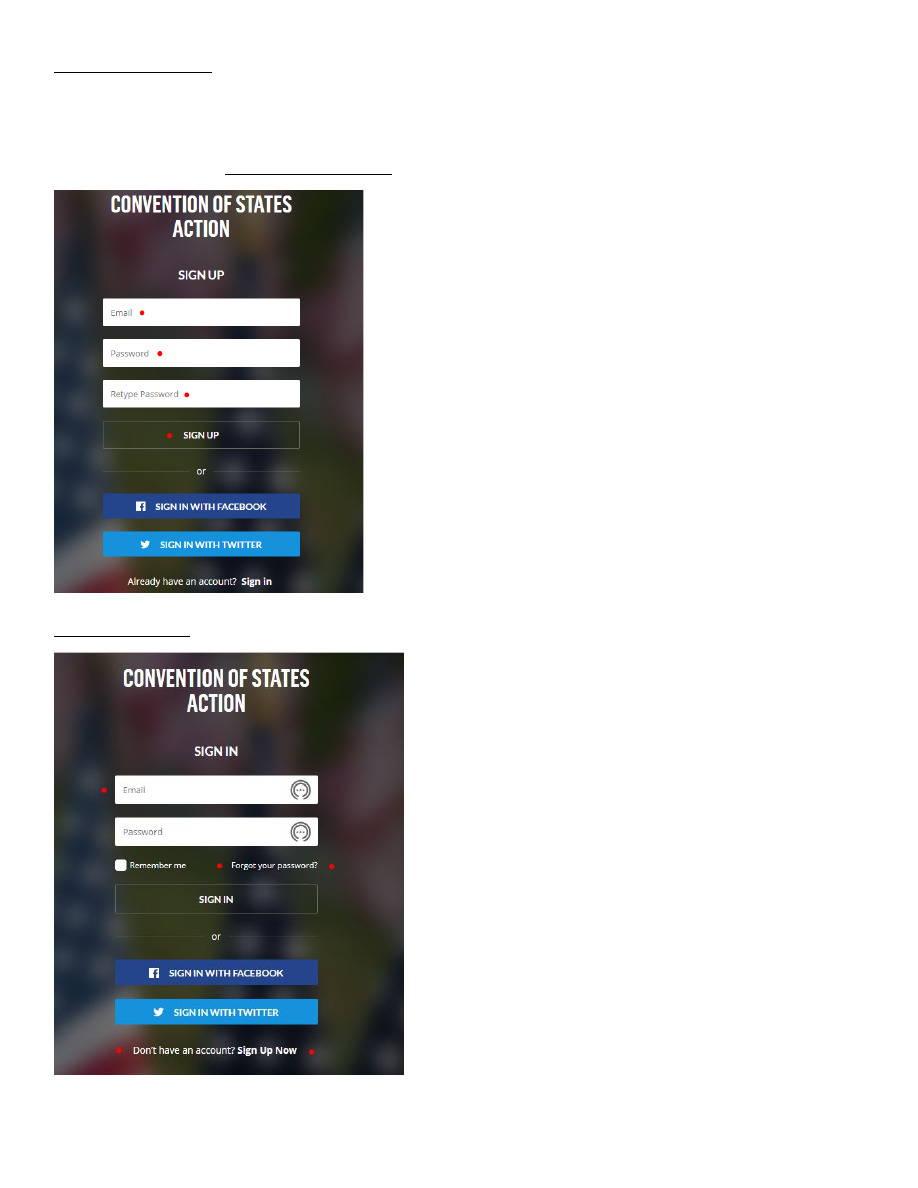 For a new account : Use the email that you used to sign your petition Enter a password and retype You will then be sent a conformation email, follow instructions / you are all set Forgot Password: 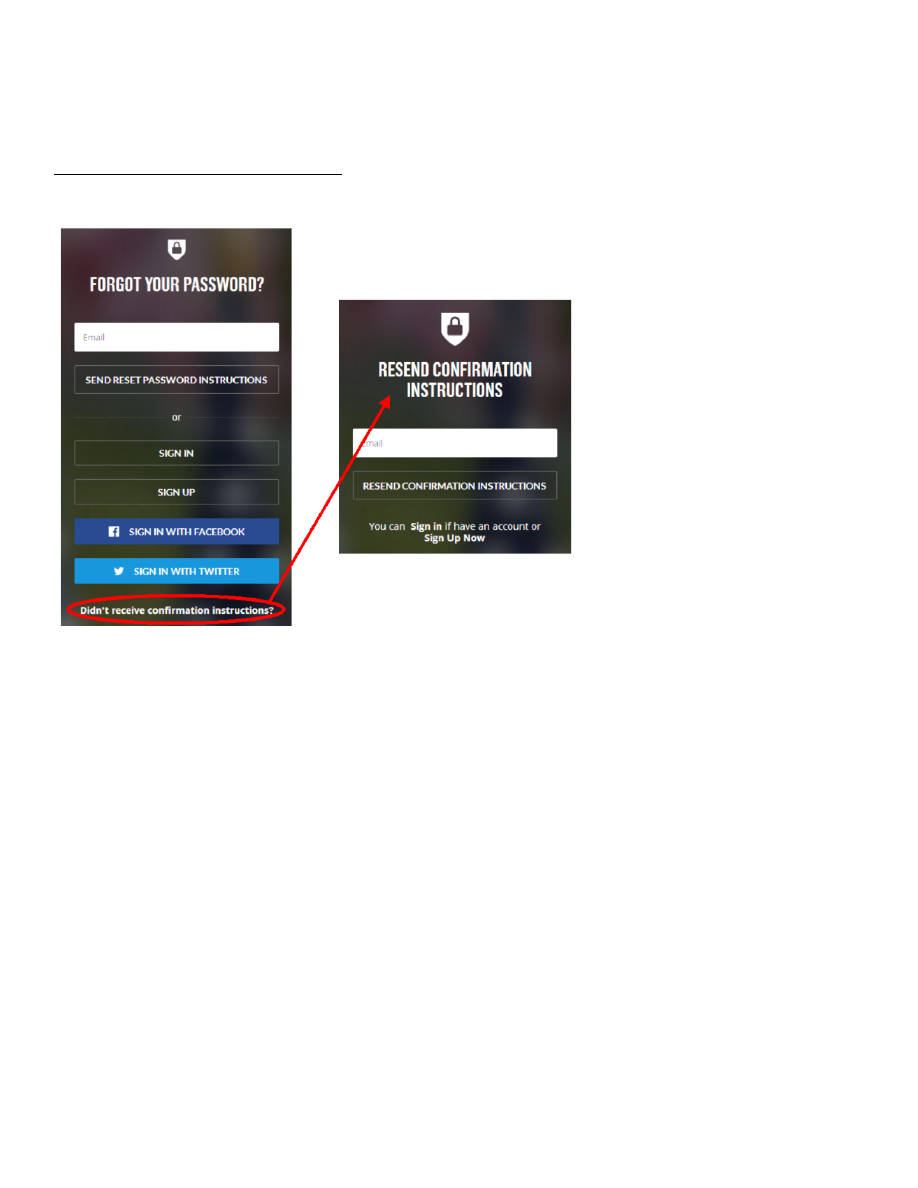 If you can’t find your confirmation email use the Forgot Password option and click on the Didn’t rec’v confirmation instructions email, using the email you signed your petition with |
| Page Metadata | |
| Login Required to view? | No |
| Created: | 2022-04-09 13:32 GMT |
| Updated: | 2023-04-10 03:00 GMT |
| Published: | 2022-07-06 07:00 GMT |
| Converted: | 2025-11-11 12:23 GMT |
| Change Author: | Jennifer Roames |
| Credit Author: | |
public/cb_mirror/create_and_confirm_cos_account_pdf_files_15101.txt · Last modified: 2025/11/11 12:23 by 127.0.0.1