To view this on the COS website, click here michigan-followups-flowchart
To download the pdf file from the COS website, click here Followups_Flowchart.pdf
Followups Flowchart
Attachment: 3413/FollowupsFlowchart.pdf
|
Type of Followup 1
st
2
nd
3
rd
4
th
5
th
1
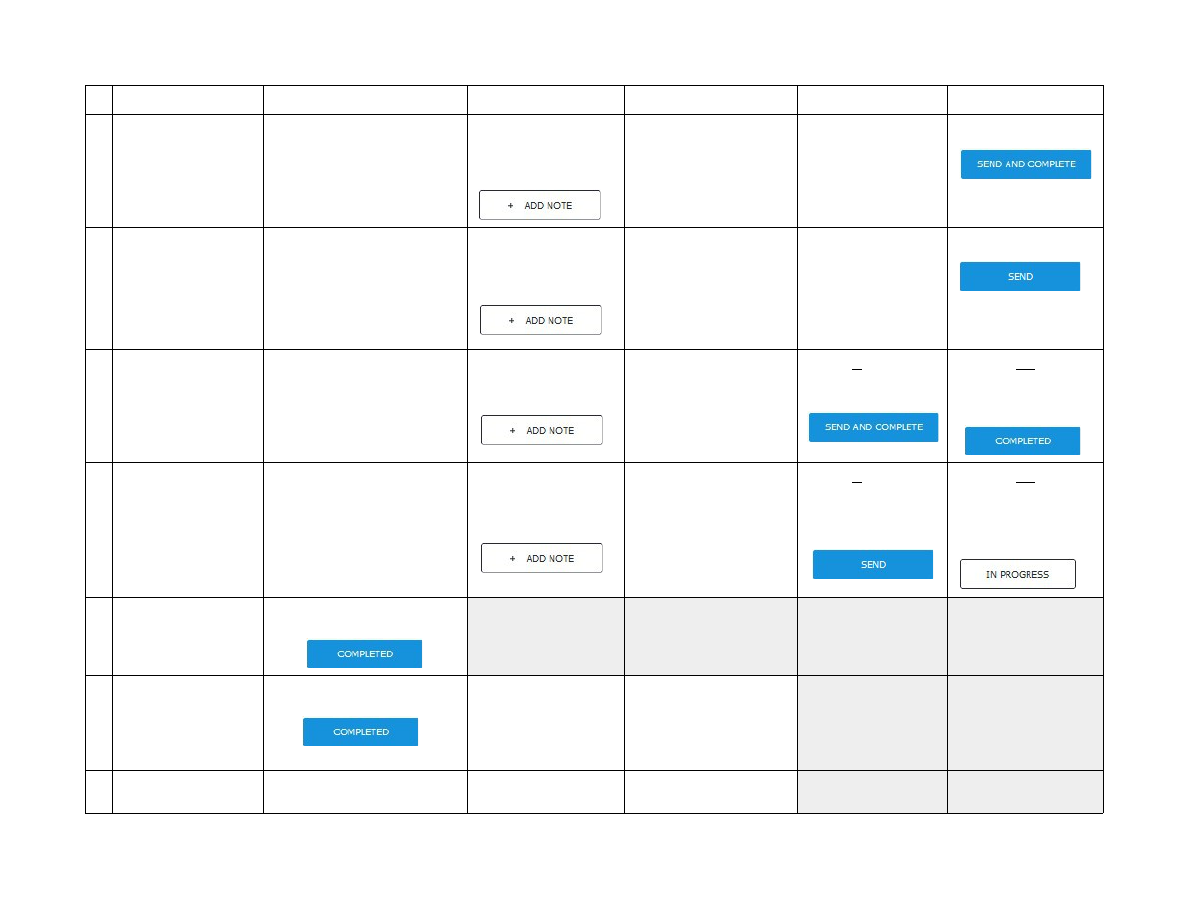
Normal Followup
– No Volunteer Interest
(Optional) Call and thank them
for signing.
You could also text and thank
them for signing.
(If you called)
Record your call in the
notes and comments
section. Press:
Select “US National Thank
You”
Fill in the Subject Line. Press:
2
Normal Followup
– Volunteer Interest
(Optional) Call and thank them
for signing.
You could also text and thank
them for signing.
(If you called)
Record your call in the
notes and comments
section. Press:
Select “US National Thank
You”
Fill in the Subject Line. Press:
3
No Email / Bad Email
– No Volunteer Interest
- Call.
- Thank them for signing.
- Offer to update email address
for them.
Record your call in the
notes and comments
section. Press:
If they provide a new
email address, correct it in
their profile.
If email is corrected:
Finish like a Normal
Followup (#1) pressing
If email is not corrected:
Scroll down to the
bottom right hand
corner and press:
4
No Email / Bad Email
– Volunteer Interest
- Call.
- Thank them for signing.
- Offer to update email address
for them.
Record your call in the
notes and comments
section. Press:
If they provide a new
email address, correct it in
their profile.
If email is corrected:
Finish like a Normal
Followup (#2) pressing
If email is not corrected
and you have made a
note. Scroll down to the
bottom right hand
corner and press:
5
No Email or Phone #
– No Volunteer Interest
Scroll down to the bottom right
hand corner and press:
6
No Email or Phone #
– Volunteer Interest
Scroll down to the bottom right
hand corner and press:
Go to their profile and
remove the volunteer
interest check mark.
Record in Notes and
Comments that volunteer
interest was removed due
to lack of contact
information.
7
No Petition Signature
– No Volunteer Interest
Select “US National Thank
you”
Use subject line that
doesn't mention signing.
Complete as you would a
Normal Followup (#1)
8
No Petition Signature
– Volunteer Interest
Select “US National Thank
you”
Use subject line that
doesn't mention signing.
Complete as you would a
Normal Followup (#2)
9
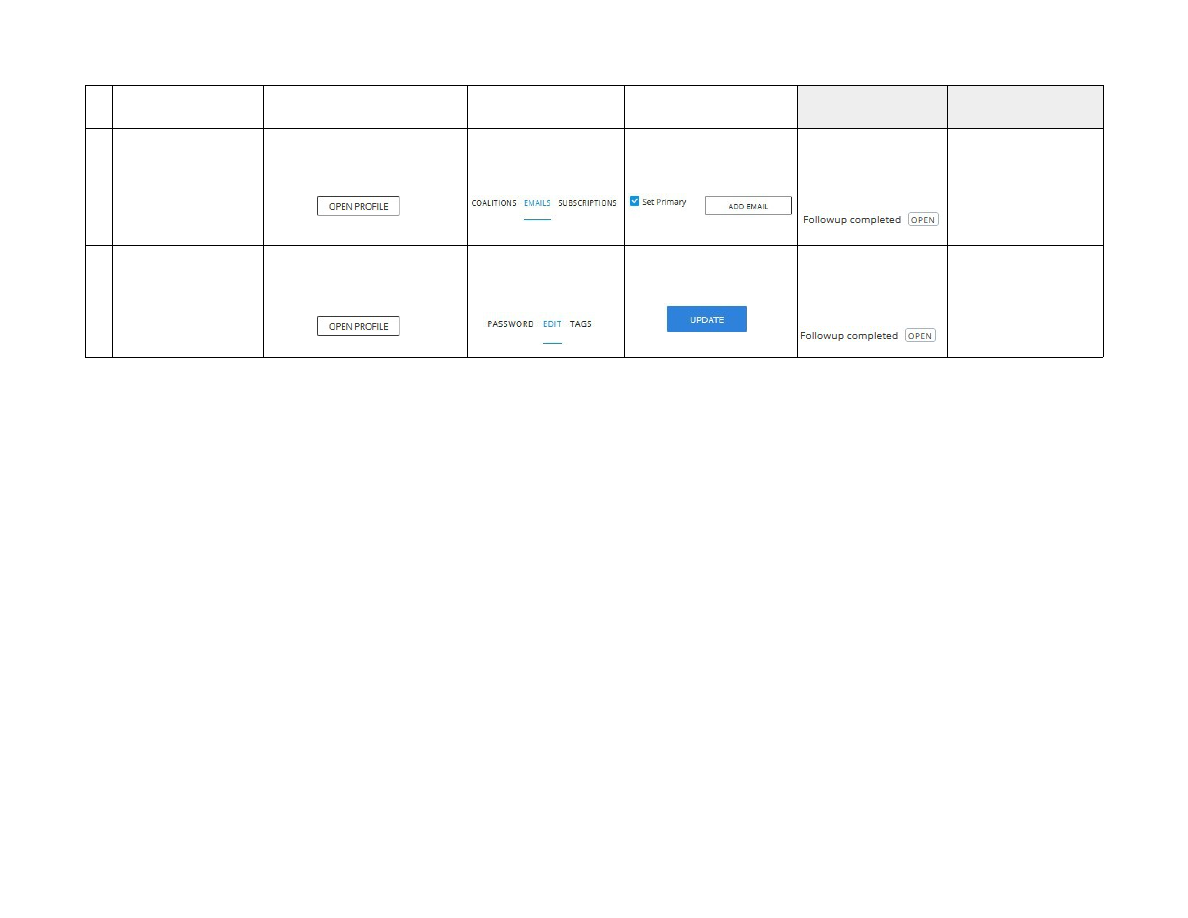
Bad, Fixable Email
- Email with obvious
error
Go to
OPEN PROFILE
(Found in the upper left hand
corner under the person's name.)
Select
EMAILS
(Found
in the menu at the top of
the profile.)
Add New Email, select
Set
Primary
, and press
ADD
EMAIL
.
Return to Followup by
clicking
OPEN
.(Found
in the left hand column
check list.)
Complete as you would
a Normal Followup
- No Volunteer Interest
(#1)
- Volunteer Interest (#2)
10
Miss-typed Name
-Examples:
John A. A. Smith
Smith John
jOHN sMITH
Go to
OPEN PROFILE
(Found in the upper left hand
corner under the person's name.)
Select
EDIT
(Found in
the menu at the top of
the profile.)
Make necessary
corrections then press:
Return to Followup by
clicking
OPEN
.(Found
in the left hand column
check list.)
Complete as you would
a Normal Followup
- No Volunteer Interest
(#1)
- Volunteer Interest (#2)|
—-
| Page Metadata ||
|Login Required to view? |No |
|Created: |2023-02-04 17:26 GMT|
|Updated: |2023-02-05 16:43 GMT|
|Published: |2023-02-03 20:00 GMT|
|Converted: |2025-11-11 12:26 GMT|
|Change Author: |Sarah Santana |
|Credit Author: | |